
FestKit

Features

Everything you need.
Nothing you don't.

Eight tools that work together: plan your site, manage vendors, send broadcasts, coordinate your team with the event feed and staff map, and publish a live map for attendees.

01

Site Plan Editor

Design your festival layout on a real map.

Draw to scale

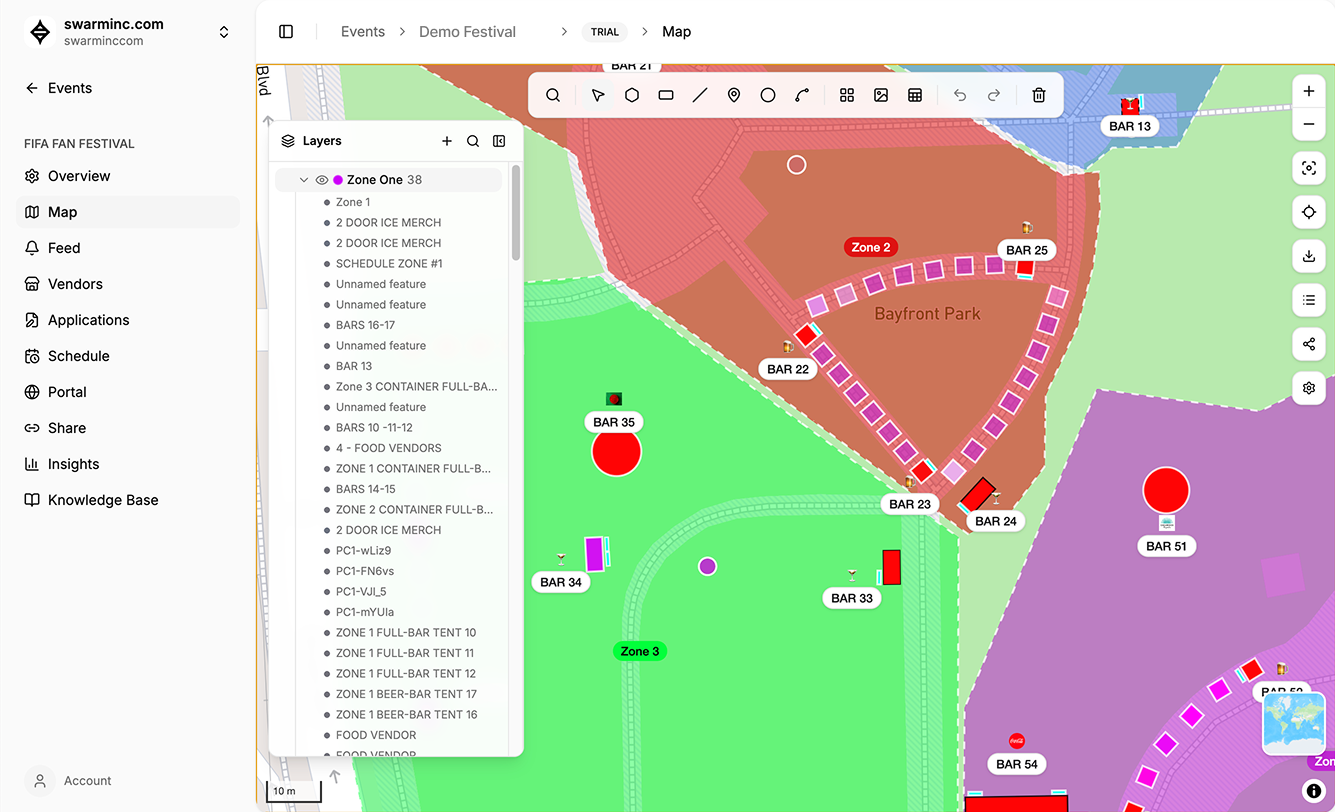
Drag and drop stages, tents, fences, and infrastructure onto a satellite or street map. Everything is to scale. No guessing distances.

Layers & zones

Organize your plan with layers: infrastructure on one, vendors on another, VIP areas on a third. Toggle visibility per layer. Color-code zones.

Measurements & geometry

Draw polygons and get instant area and perimeter calculations. Set dimensions on rectangles. Give your permit office something they'll actually approve.

Presets & templates

Start from a blank map or reuse last year's layout. Save common structures as presets: 10x20 tent, food truck bay, stage footprint.

02

Vendor Management

Applications, assignments, and communication, tied to the map.

Vendor applications

Share a public application link. Vendors fill out their info: business type, menu, certifications, setup needs. Everything lands in one place.

Map-based assignments

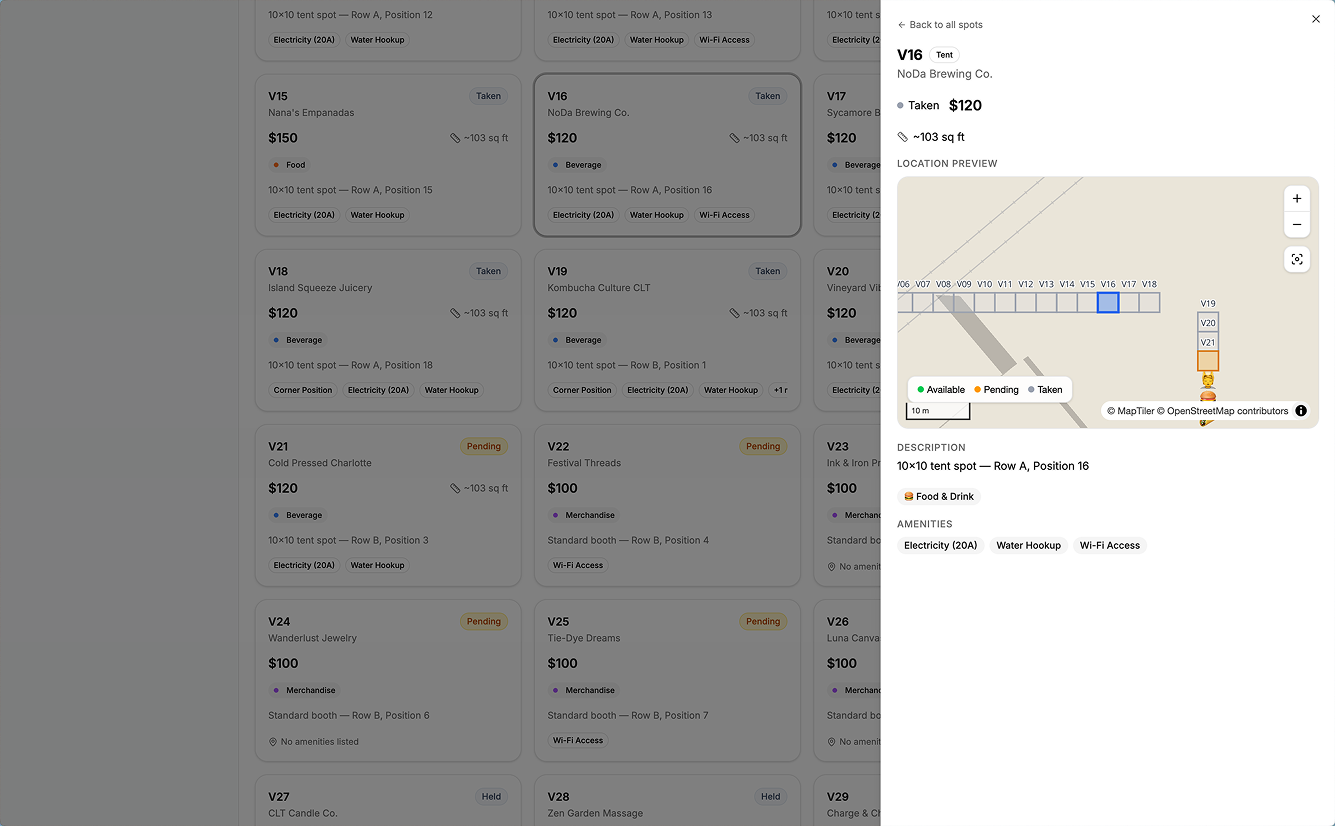
Assign vendors to specific spots on your site plan. Drag to reassign. Vendors see exactly where they go: booth number, neighbor info, load-in directions.

Status tracking

Track every vendor through your pipeline: applied, approved, assigned, confirmed, paid. Filter and sort by status, type, or zone.

Vendor portal

Each vendor gets a portal to view their assignment, update their info, and upload required documents. No more chasing emails.

03

Vendor Broadcasts

One email to every vendor. Personalized, on-brand, no BCC disasters.

Block-based composer

Build emails visually with blocks: headers, text, buttons, images, dividers, and a branded footer. No HTML knowledge needed. Looks professional on every device.

Merge fields

Personalize every email with vendor-specific data: vendor name, contact name, spot assignment, event details. Each vendor receives a tailored email, not a generic blast.

Audience targeting

Send to all vendors, or filter by event, vendor type, application status, or spot status. Add or exclude vendors manually for precise control.

Preview, test, schedule

Preview the rendered email with real merge data before you send. Fire off a test to your own inbox. Send immediately or schedule for later.

04

Event Feed

Real-time alerts and messages for everyone on-site. Attendees and staff.

Real-time alerts

Post schedule changes, weather alerts, or gate openings. Attendees and staff see them instantly on the map. No app download, no push notification setup.

Pinned messages

Keep critical info at the top of the feed: parking instructions, emergency contacts, WiFi passwords. Pin and unpin as the day evolves.

Attendee-facing feed

Attendees see the feed on their interactive map. It's the first thing they check when something changes: rain delay, stage swap, food truck sellout.

Staff-facing feed

Staff get the same feed on their operational map, plus internal-only messages. Coordinate without walkie-talkies or group texts.

05

Staff Map & Operations

Your team's real-time view of the festival, with the feed built in.

Operational view

The same interactive map your attendees use, but with staff-only layers: staging areas, equipment locations, back-of-house routes, emergency exits.

Built-in feed

The event feed is embedded right in the staff map. Post updates, read alerts, and coordinate without switching apps or checking a separate channel.

Team coordination

Assign zones to team members. Everyone knows their area, sees the full picture, and can flag issues to the whole team in one tap.

Day-of command center

When the festival is live, the staff map is your operations hub. See the site, communicate with the team, and react to changes, all in one view.

06

Real-Time Collaboration

Your whole team, one map, zero version conflicts.

Live cursors

See who's editing what in real time. Colored cursors show team members' positions on the map as they work.

Role-based access

Admins edit everything. Managers handle vendor assignments. Viewers see the plan without accidentally moving the main stage.

Change history

Every edit is tracked. See who moved what, when, and why. Roll back changes if something goes wrong on site day.

No more email PDFs

Stop exporting, attaching, and hoping everyone has the latest version. One URL, always current, always shared.

07

Attendee Maps

A live, interactive map on every phone. No app required.

One-click publish

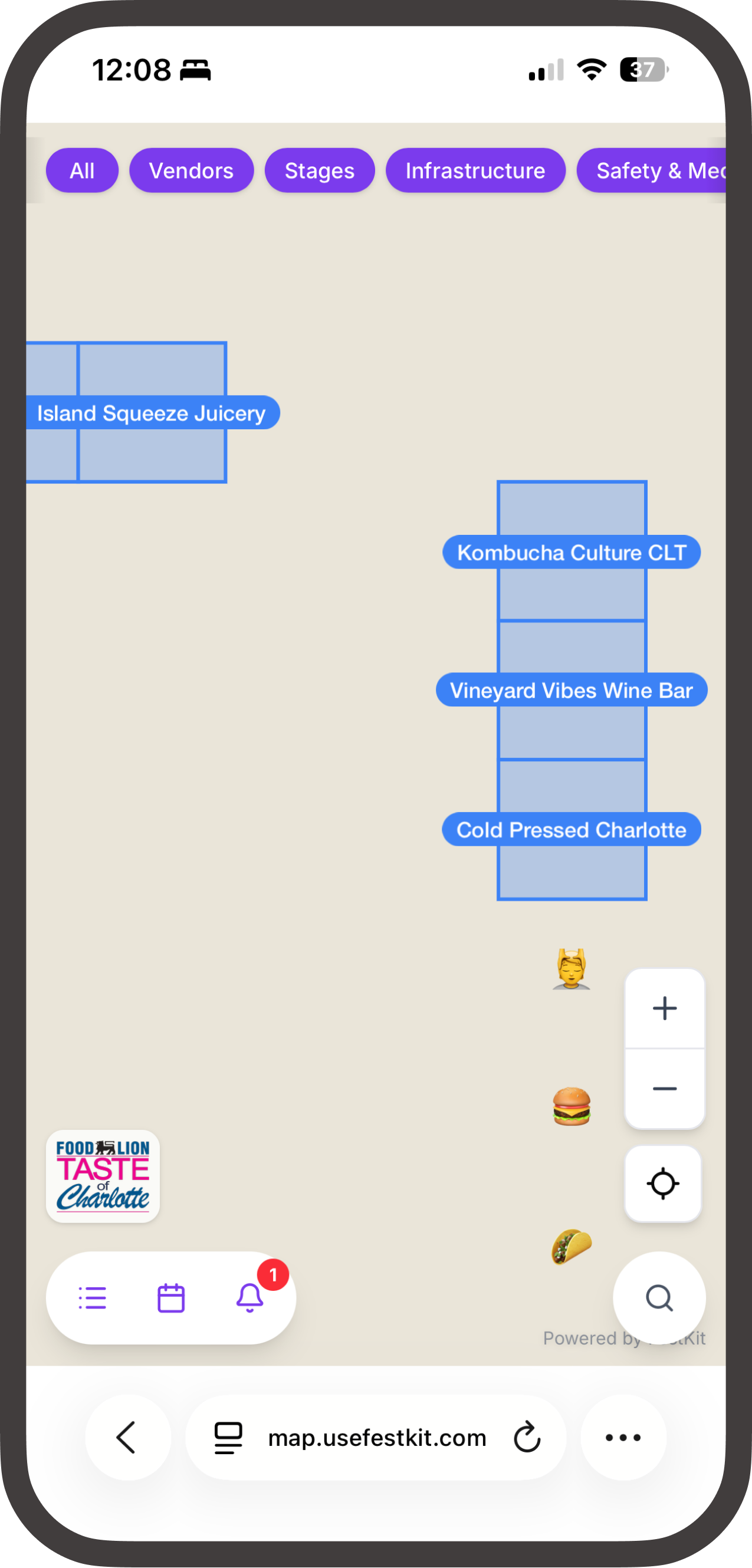
When your plan is ready, hit publish. Your attendees get a shareable link to a mobile-optimized interactive map. No app store, no download.

Search everything

Attendees search by name, category, or type. Find the nearest bathroom, their favorite food truck, or the stage their friend is performing on.

Always current

Move a vendor on your plan and the attendee map updates automatically. Rain plan? Swap the layout and everyone sees the change instantly.

Your brand

On Flagship and Producers plans, the attendee map shows your logo, your colors, and no FestKit branding. It's your festival's map.

08

AI-Powered Vendor Inbox

Every vendor email, handled. So you can focus on the festival.

Dedicated event email

Each event gets its own email address (yourfest@vendors.usefestkit.com). Vendors email it directly, and every thread lands in your inbox automatically.

AI-drafted replies

The AI reads your knowledge base and drafts responses to common vendor questions: load-in times, spot details, payment info. Review and send in one click.

Smart escalation

When the AI can't answer, it escalates to your team with internal notes, not a generic 'we'll get back to you.' Your vendors always get a real response.

Thread history & assignments

Full conversation history with collapsible threads. Assign conversations to team members, track status, and never lose a vendor email again.

Ready to ditch
the spreadsheets?

Join the beta and be one of the first festival organizers to plan, manage, and publish with FestKit.

View pricing →